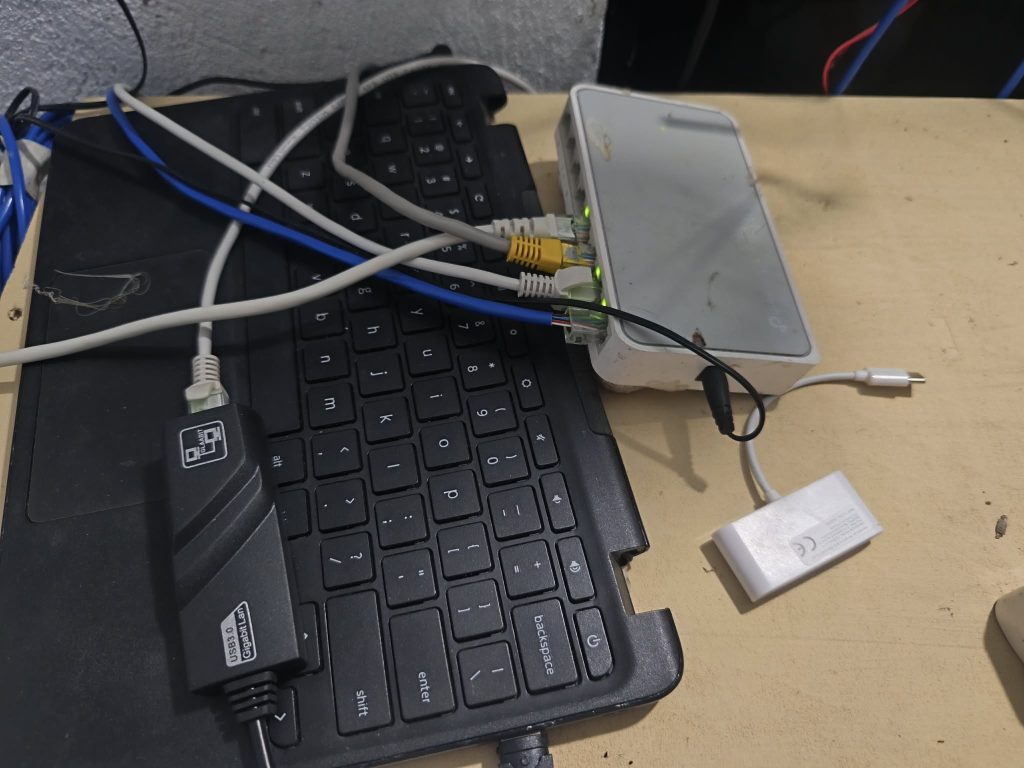
Have an old laptop collecting dust? Before throwing it away, consider giving it a second life. Even if it struggles with modern apps, it may still be powerful enough to handle useful networking and server tasks at home.
Here are three practical ways to turn your old laptop into something useful.
1. Turn It Into a Home Server
A home server lets you store, manage, and access files across your devices without relying entirely on cloud services. You can use it as a personal file server, media server, or even a self-hosted platform for applications.
With tools like Ubuntu Server, OpenMediaVault, or Docker, you can host shared folders, back up important files, stream media, and run lightweight services on your local network.
Why it’s useful: You get more control over your files, make better use of your existing hardware, and learn valuable server management skills without buying a dedicated machine.
2. Set Up a DNS Server and Ad Blocker
Your old laptop can also help make your home network cleaner and more efficient. By running a DNS-based blocker like Pi-hole or AdGuard Home, you can block many advertising and tracking domains before they load on your devices.
Once configured, your devices can use the laptop as their DNS server, allowing network-wide filtering without installing a separate ad-blocking app on every device.
Why it’s useful: You can reduce unwanted ads and trackers across supported devices, improve privacy, and learn how DNS works. Just remember that DNS-based blocking cannot remove every ad, especially those served from the same domains as regular content.
3. Use It as a Home Router
With the right network interfaces and software, an old laptop can become a customizable home router. Systems like OpenWrt (on supported hardware), OPNsense, or pfSense can provide routing, firewall rules, and network monitoring.
However, this setup usually requires at least two network interfaces: one for the internet connection and another for your local network. A USB-to-Ethernet adapter may help if your laptop has only one Ethernet port.
Why it’s useful: You can experiment with firewall rules, traffic management, network segmentation, and other advanced networking features without immediately purchasing dedicated hardware.
Keep in mind that router software compatibility, power consumption, and reliability matter. An old laptop is great for learning and testing, but it may not be the most efficient choice for a permanent, always-on router.
Give Your Old Laptop a Second Life
An old laptop doesn’t have to become electronic waste just because it’s no longer your daily driver. Whether you turn it into a home server, a DNS-based ad blocker, or a home router, you can reuse existing hardware while building practical IT and networking skills.
The best part? You can start with what you already own, experiment at your own pace, and upgrade only when you need to. Sometimes, the best upgrade isn’t buying something new—it’s finding a new purpose for what you already have.
